Scan this QR code to find your way, indoors.
A blue dot on your venue's own floor plan that moves as your visitors walk. One scan opens the map, search and directions on any phone, with nothing to install; the live dot comes with the app.
Live at Jio World Centre, Mumbai
Point your phone's camera here.
It opens the map, search and directions. Nothing to install.
Open WayfindingYou're on a phone already, so tap to open it. Or let someone scan the QR code below.
Every shop, lift, help desk and parking bay is on the map, under the names your venue uses. A visitor types two letters and picks.
If they arrived without scanning, the map simply asks where they are, and they tap the shop they're standing next to.
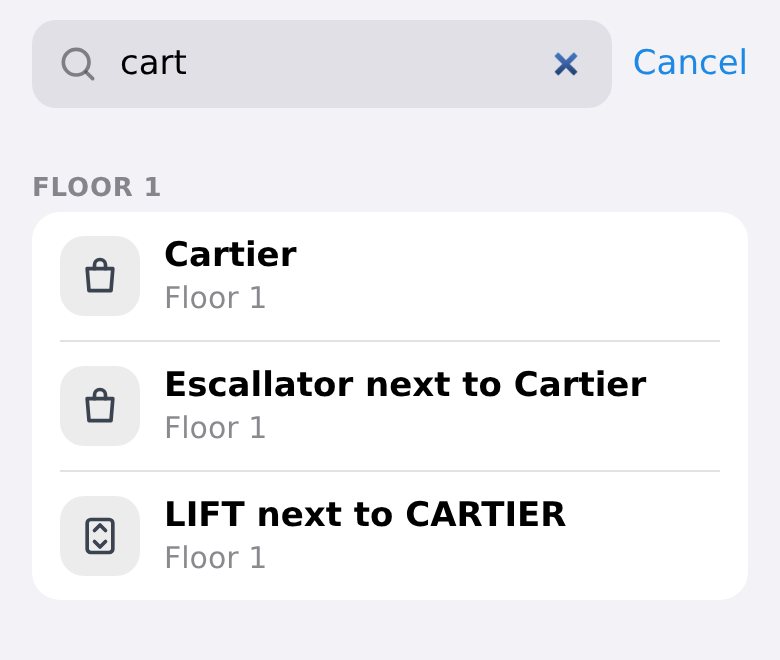
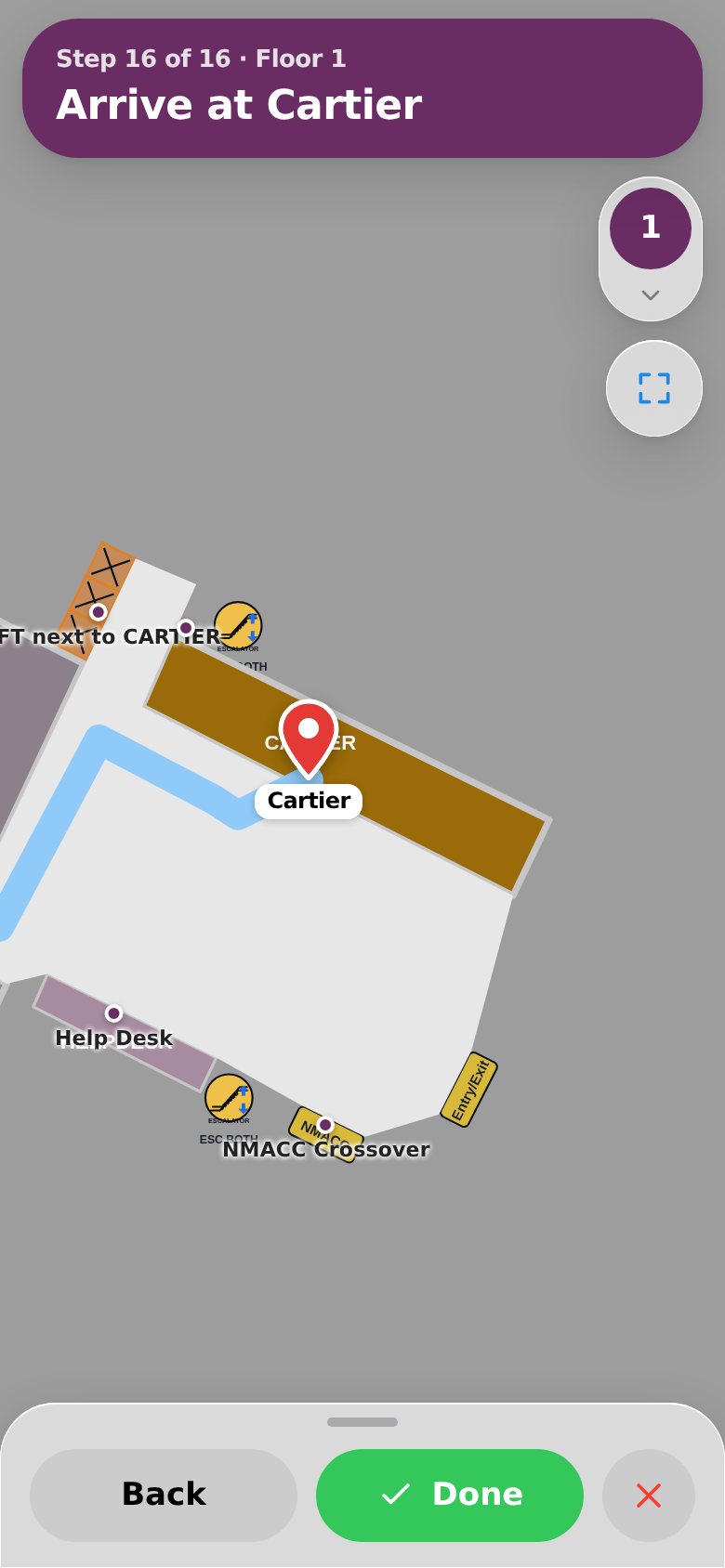
Here a visitor parked at bay P2 W8 types “cart”. Cartier comes up, with the escalator and the lift next to it, all on Floor 1, two floors up.
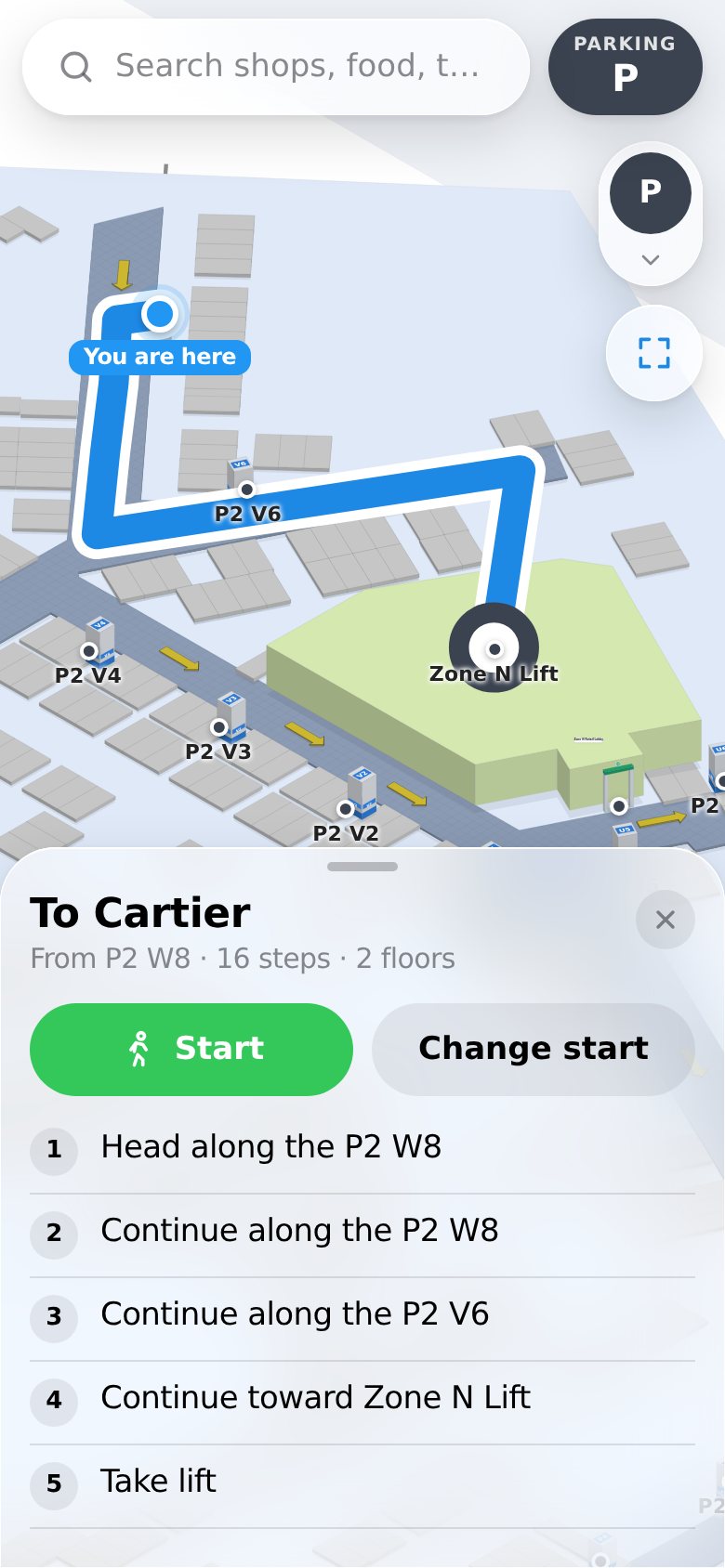
Routes run along your corridors, never straight through a wall. You draw them once on your own plan, and visitors follow what you drew.
In the app the blue dot moves every two seconds as the visitor walks, from the venue's beacons and the phone's own step counting. Without the app, the same route plays one step at a time.
- Head along the P2 W8
- Continue along the P2 W8
- Continue along the P2 V6
- Continue toward Zone N Lift
- Take lift
- Head along the Esc Near Tiffany
- Continue along the Esc Near Tiffany
- Continue along the Emergency Exit Tiffany
- Continue along the Burberry
- Continue along the Bottega venta
- Continue along the Rolex
- Continue along the Valentino 1
- Continue along the Valentino 2
- Continue on your route
- Continue toward Cartier
- Arrive at Cartier
Lifts and escalators are part of the route. At the lift the map turns to the next floor, in that floor's colour, and picks up where the visitor steps out.
Two floors down is still on the map. From the parking bay to the shop, it's one trip.
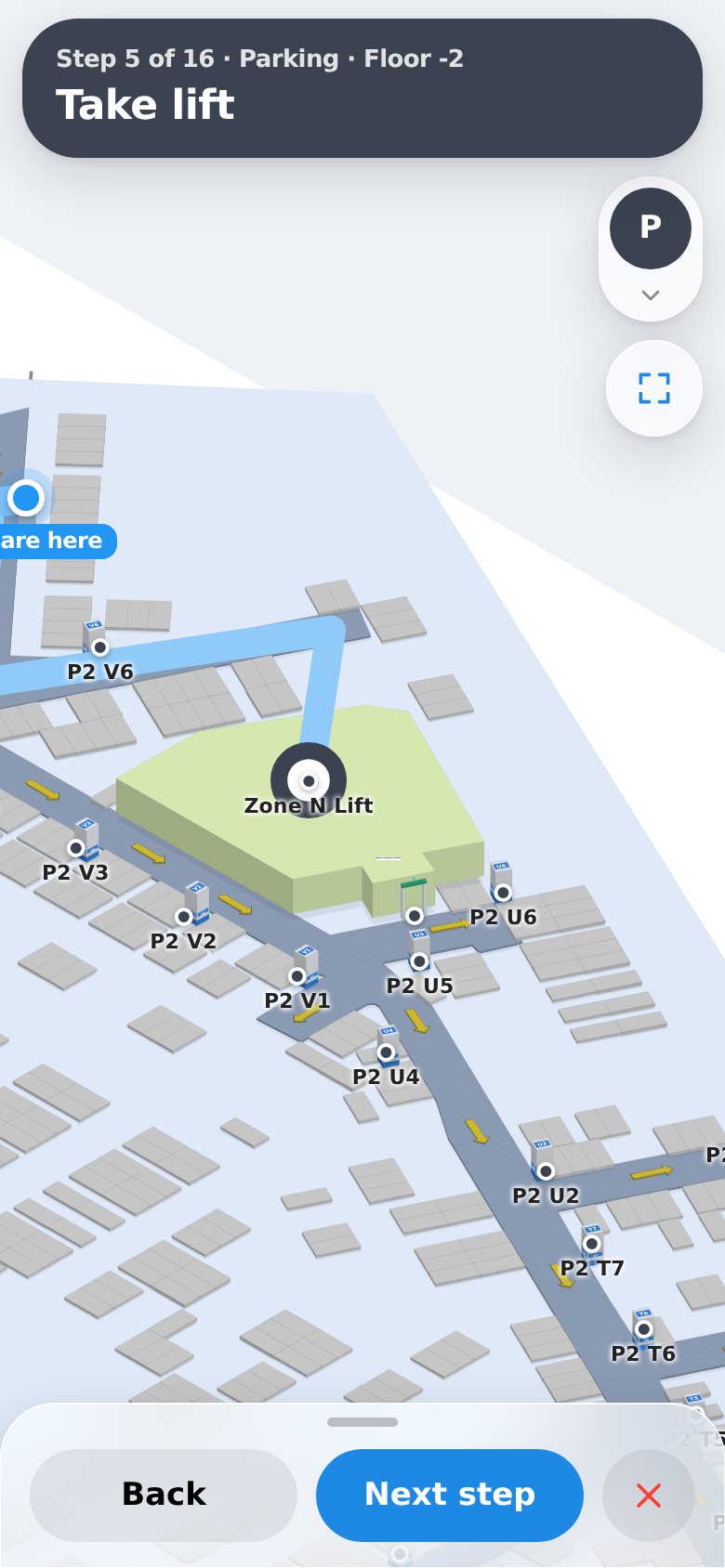
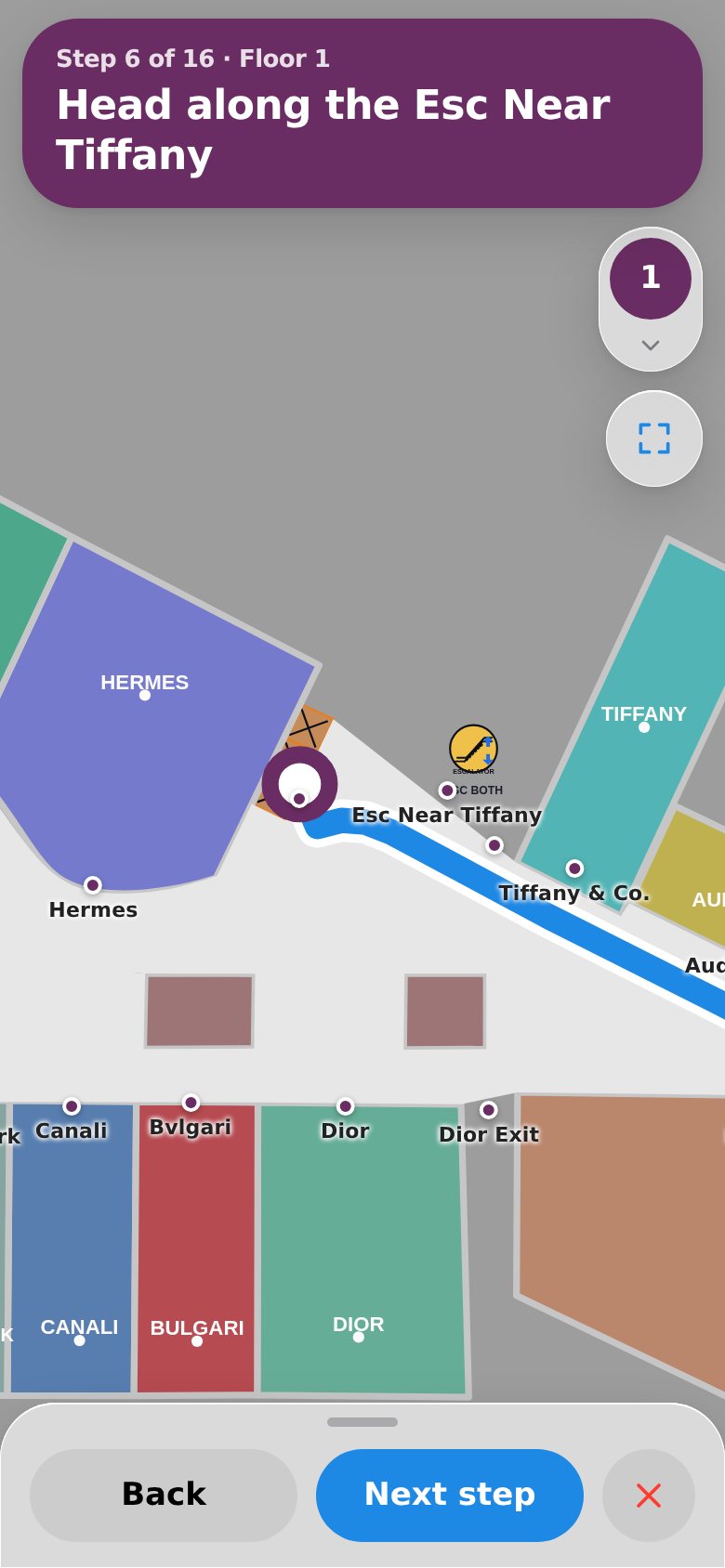
Sixteen steps from parking bay P2 W8, by way of the Zone N lift, to the pin on the shop.
That's the real route on the live map at Jio World Centre, and every screen in these four steps comes from it. The trip ends at the shop, not at the help desk asking for it.
Behind the dot is a walk around the building.
No survey crew and no licence fee. Three parts, and your team runs all of them.
-
Beacons
Small battery beacons go up on ceilings or walls. No wiring, no network of their own. They're off-the-shelf beacons, so the estate stays yours, and beacons you already have for asset tracking can do this job too.
-
Field Tools
Your team installs them with a phone. Screw a beacon up, scan its QR code, mark it on the plan, check its signal, move to the next. Each floor shows what's placed, what's checked and what still needs a visit.
-
The Engine
Floor plans, places, corridors and routes live in the IoTReady Engine. Adding a shop or moving an entrance takes an afternoon, and visitors see the change the next time they open the map.
Once visitors are on the map
- Offers that land when they're useful
- A café promotion reaches the visitor twenty metres from the café, not the one in the car park.
- Regulars, without a login
- Nobody signs up, and the venue still tells a first visit from a fifth.
- Help has an address
- A visitor who asks for help shows up next to a named pillar on a named floor.
- How the building is really used
- Where people gather, where they stall, which routes nobody takes.
One QR code, the right app on every phone.
iPhone
It opens the map, search and step-by-step directions straight away, with nothing to install. Soon the same QR code will open a light version of the app, with the live blue dot.
Android
It opens the map, search and step-by-step directions straight away, with nothing to install. For the live blue dot, it offers the Wayfinding app from Google Play.
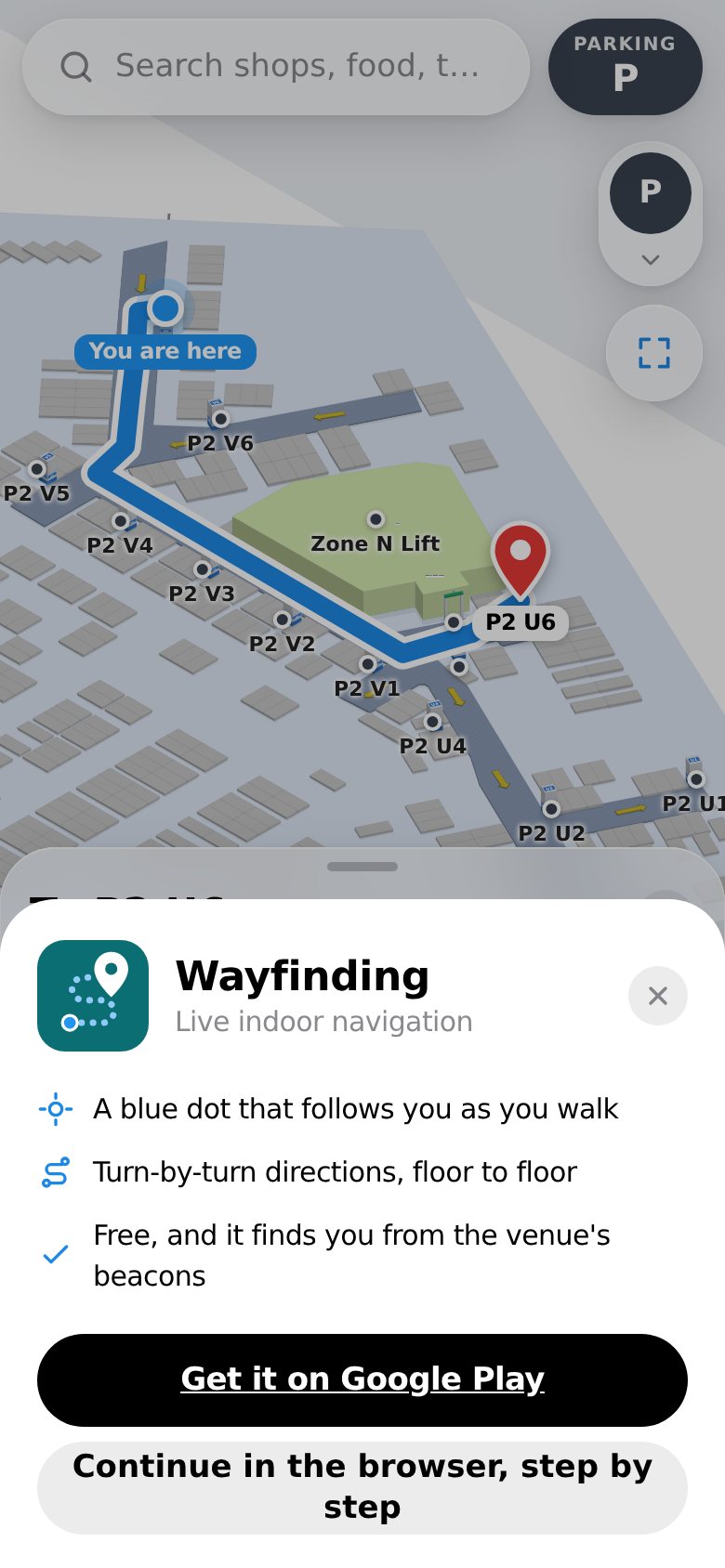
Running at Jio World Centre, Mumbai.
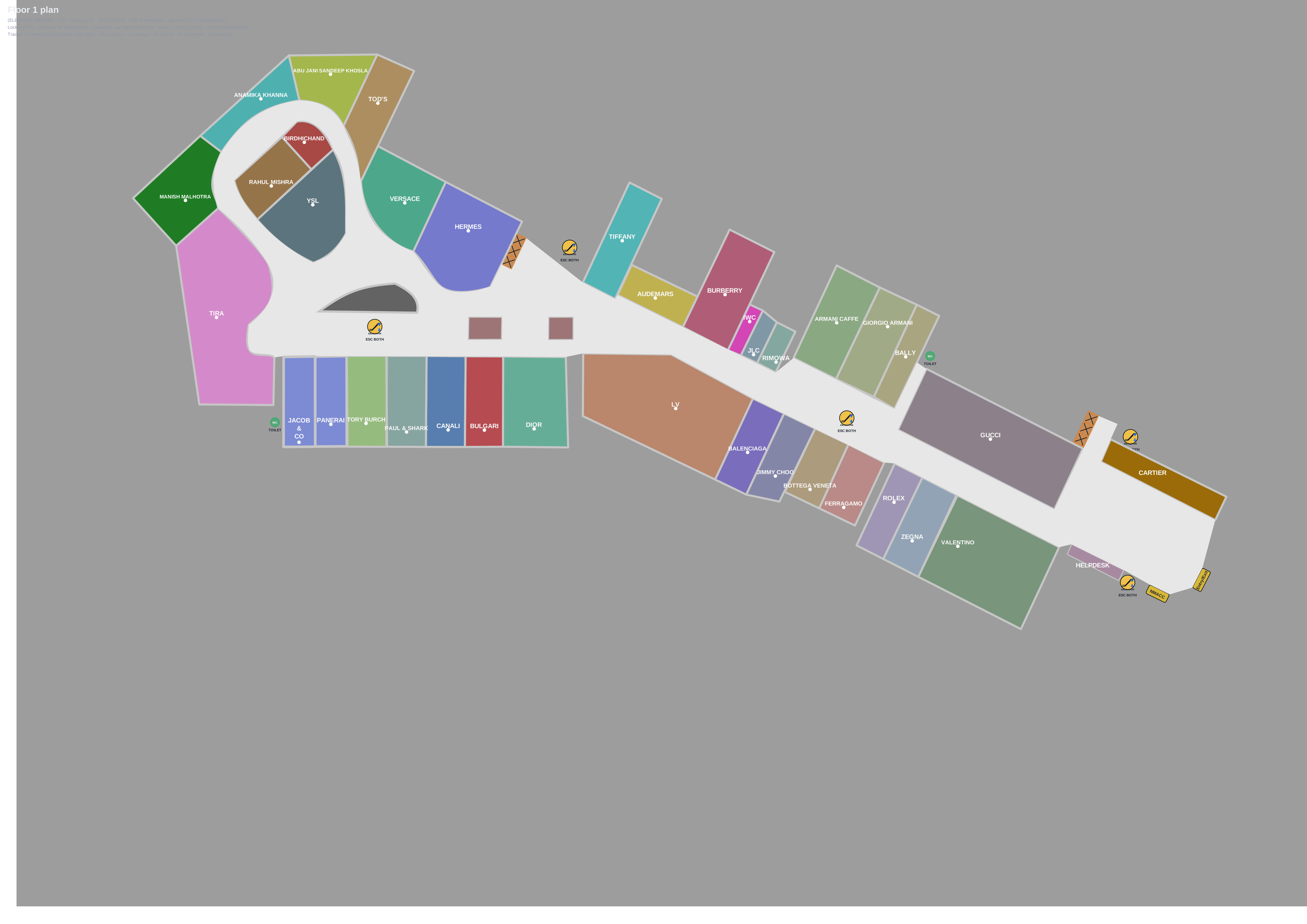
From the parking levels to Floor 2, every floor has its own plan with its shops, lifts, escalators and help desks on it, and Floor 3's plan is on the map too. The screens on this page are the live map, not a mock-up.
- 2Floor 2MUJI, Samsung Experience Centre, Falguni & Shane Peacock
- 1Floor 1Cartier, Gucci, Rolex, Valentino, Armani Cafe, Help Desk
- 0Ground floorMain Hall, Atrium, Kitchen
- PParkingBays by pillar, Zone N lift
Tell us about your venue.
Send us your floor plans and what visitors get lost looking for. We'll tell you what it takes to put them on the map.
Try it first.